
Millimeter to Pixel Converter (mm to px) | Custom DPI
Welcome to the most accurate Millimeter to Pixel Converter on the web. Whether you are a web designer working on CSS layouts or a graphic designer preparing files for print, this tool allows you to convert physical millimeter measurements into digital pixels instantly.
To get the correct pixel value, you must specify the Resolution (DPI or PPI).
-
For Screens: Use 96 DPI (Standard Windows/Web) or 72 DPI (Standard Mac).
-
For Printing: Use 300 DPI (High Quality) or 600 DPI (Professional).
How to Convert mm to px?
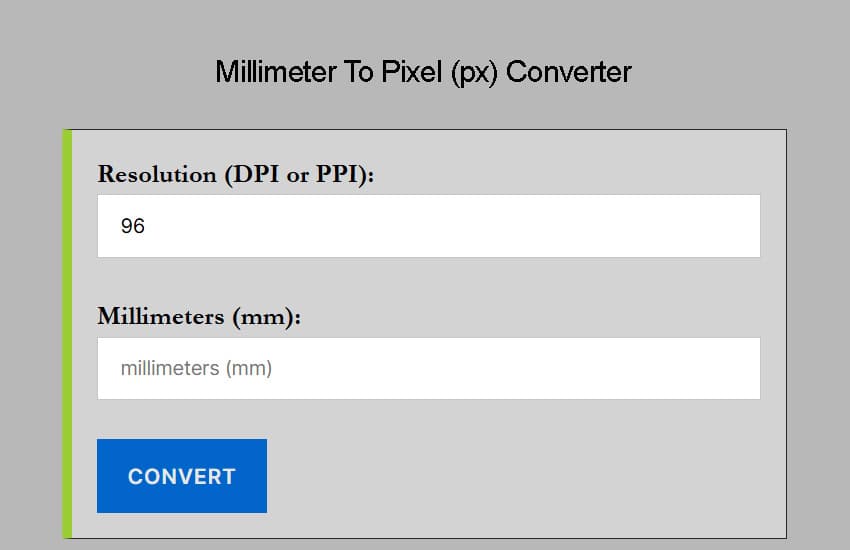
Converting millimeters to pixels is simple if you follow these three steps using our calculator above:
-
Enter the Resolution: Input your DPI/PPI value (default is 96).
-
Enter the Millimeters: Type the
mmvalue you wish to convert. -
View Result: The tool instantly calculates the equivalent
pxvalue.
If you are working in reverse and need to find the physical size of a digital image, you can use our Pixel to Millimeter (px to mm) Converter for a precise calculation.
The Millimeter to Pixel Formula
If you want to convert mm to px manually, you need to know the conversion factor. Since one inch equals exactly 25.4 millimeters, the formula relies on your screen or print resolution (PPI).
The equation is:
Pixel = Millimeter * (Resolution/25.4)
Example Calculation: If you have a length of 10 mm and a resolution of 96 PPI:
10 * (96/25.4) = 37.79 pixels
Why Does Resolution (DPI) Matter?
A “pixel” is not a fixed unit of length like a millimeter; it is a unit of information. The physical size of a pixel depends on the screen density.
-
Low Resolution (72-96 PPI): Pixels are larger and less dense. 10mm contains fewer pixels.
-
High Resolution (300+ PPI): Pixels are microscopic and dense. 10mm contains many more pixels.
Quick Reference: mm to px Conversion Table (96 DPI)
Below are the most common conversions used in web design, based on the standard 96 PPI screen resolution.
| Millimeter | Pixel |
|---|---|
| 2 mm | 7.5590551181102 px |
| 3 mm | 11.338582677165 px |
| 4 mm | 15.11811023622 px |
| 5 mm | 18.897637795276 px |
| 6 mm | 22.677165354331 px |
| 7 mm | 26.456692913386 px |
| 10 mm | 37.795275590551 px |
| 13 mm | 49.133858267717 px |
| 15 mm | 56.692913385827 px |
| 18 mm | 68.031496062992 px |
| 20 mm | 75.590551181102 px |
| 30 mm | 113.38582677165 px |
| 35 mm | 132.28346456693 px |
| 40 mm | 151.1811023622 px |
| 45 mm | 170.07874015748 px |
| 50 mm | 188.97637795276 px |
| 60 mm | 226.77165354331 px |
| 70 mm | 264.56692913386 px |
| 80 mm | 302.36220472441 px |
| 90 mm | 340.15748031496 px |
| 100 mm | 377.95275590551 px |
| 110 mm | 415.74803149606 px |
| 120 mm | 453.54330708661 px |
| 130 mm | 491.33858267717 px |
| 140 mm | 529.13385826772 px |
| 150 mm | 566.92913385827 px |
| 160 mm | 604.72440944882 px |
| 170 mm | 642.51968503937 px |
| 180 mm | 680.31496062992 px |
| 190 mm | 718.11023622047 px |
| 200 mm | 755.90551181102 px |
| 210 mm | 793.70078740157 px |
| 220 mm | 831.49606299213 px |
| 230 mm | 869.29133858268 px |
| 240 mm | 907.08661417323 px |
| 250 mm | 944.88188976378 px |
Frequently Asked Questions (FAQ)
How many pixels are in 1 mm?
At the standard web resolution of 96 DPI, 1 mm is equal to 3.78 pixels. However, for high-resolution printing at 300 DPI, 1 mm is equal to 11.81 pixels. The exact value depends entirely on the pixel density (DPI/PPI) of your project.
What is the formula to convert mm to pixels?
The universal formula is: Pixels = (Millimeters / 25.4) * DPI. Since there are exactly 25.4 millimeters in an inch, you first convert mm to inches and then multiply by your target dots-per-inch (DPI). For standard CSS web design, use 96 as your DPI.
How many pixels is a standard 85x55 mm business card?
For professional print quality (300 DPI), an 85x55 mm business card is 1004 x 650 pixels. If you are designing a digital-only version for web display (96 DPI), the dimensions would be 321 x 208 pixels.
Why is 96 DPI used for mm to px conversion in CSS?
The W3C standard defines 1 pixel as 1/96th of an inch. This ensures that a "CSS millimeter" remains consistent across different browsers and operating systems, even if the physical screen hardware has a higher actual pixel density (like Retina or 4K displays).
How many pixels is A4 paper size (210x297 mm)?
For high-quality printing (300 DPI), A4 size is 2480 x 3508 pixels. For web-standard resolution (96 DPI), an A4 sheet is 794 x 1123 pixels. Always use 300 DPI for documents intended for physical printing to avoid blurriness.
Does 1mm always equal the same number of pixels?
No. Pixels are "resolution-dependent." On a low-resolution screen, a pixel is physically larger, so fewer pixels fit into 1mm. On a high-density smartphone screen, pixels are tiny, meaning more are needed to fill 1mm. This is why DPI (Dots Per Inch) is a required variable for any accurate conversion.