
Point to Pixel Converter | Fast & Accurate pt to px
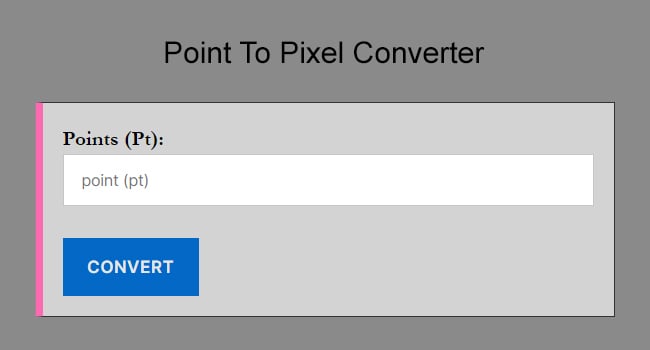
Welcome to the easiest Point to Pixel Converter. Whether you are a graphic designer moving from print to web, or a developer tweaking CSS font sizes, this free tool helps you instantly convert points (pt) to pixels (px). Simply enter your point value below to get the equivalent pixel size based on standard screen resolution (96 DPI).
How to Convert Points to Pixels
Converting points to pixels can be tricky because “points” are a physical print unit (where 72pt = 1 inch), while “pixels” are a screen unit. However, the standard for web design (W3C) establishes that 1 inch equals 96 pixels.
To convert manually, you can use this simple formula:
The Pt to Px Formula:
1 Point = 1.3333 Pixels
To calculate it yourself:
-
Take your point value (e.g., 12pt).
-
Multiply it by 1.333 (or 96/72).
-
The result is your value in pixels.
Example: If you have a font size of 24pt, the calculation is:
24pt * 1.333 = 32px
If you are starting with a digital design and need to prepare it for a printer, you’ll need to do the reverse calculation. You can use our dedicated Pixel to Point Converter to ensure your print dimensions are 100% accurate.
Points vs. Pixels: When to Use Which?
Understanding the difference between pt and px is vital for responsive design.
-
Points (pt): Traditionally used in print media (newspapers, magazines). 1 point is equal to 1/72 of an inch. In CSS, points are absolute units and are generally not recommended for screen design because they don’t scale well across different device resolutions.
-
Pixels (px): The standard unit for digital displays. A pixel is the smallest unit of a digital image. Using pixels ensures your text looks consistent on monitors, laptops, and mobile screens.
Pro Tip for Developers: When writing CSS, it is best practice to convert your print design’s pt values to px (or rem) to ensure accessibility and proper rendering on the web.
Common Pt to Px Conversion Table
Below is a list of the most common standard font sizes used in design, converted from points to pixels.
| Point | Pixel |
|---|---|
| 0.75 pt | 1 px |
| 1.5 pt | 2 px |
| 3 pt | 4 px |
| 4.5 pt | 6 px |
| 5 pt | 6.6666666666667 px |
| 6 pt | 8 px |
| 9 pt | 12 px |
| 10.5 pt | 14 px |
| 12 pt | 16 px |
| 13.5 pt | 18 px |
| 16.5 pt | 22 px |
| 18 pt | 24 px |
| 19.5 pt | 26 px |
| 21 pt | 28 px |
| 24 pt | 32 px |
| 28.5 pt | 38 px |
| 30 pt | 40 px |
| 31.5 pt | 42 px |
| 36 pt | 48 px |
| 42 pt | 56 px |
| 45 pt | 60 px |
| 48 pt | 64 px |
| 54 pt | 72 px |
| 63 pt | 84 px |
| 72 pt | 96 px |
| 75 pt | 100 px |
| 90 pt | 120 px |
Frequently Asked Questions (FAQ)
How many pixels (px) are in 1 point (pt)?
In the standard 2026 web environment (96 DPI/PPI), 1 point is equal to 1.333 pixels. Conversely, 1 pixel equals 0.75 points. This ratio is the global standard for ensuring that typography created in print-based tools like Adobe InDesign or Microsoft Word translates accurately to digital CSS environments.
What is the formula to convert PX to PT for 2026 web design?
The universal conversion formula is: Points = Pixels * (72 / DPI). Since modern browsers use a default reference of 96 DPI, the simplified calculation is Points = Pixels * 0.75. For example, to convert a 24px heading to points, you would calculate 24 * 0.75 = 18pt.
Why does Figma use PX while PDF exports use PT?
Design tools like Figma prioritize pixels (PX) because it is the native unit for digital screens. However, PDF files are intended for "physical" viewing and printing, where 1 point (pt) is precisely 1/72 of an inch. When exporting designs for print in 2026, converters are essential to ensure your digital elements don't appear 25% smaller when printed.
What is 16px to pt in standard typography?
In standard typography, 16px is equal to 12pt. This is the most common conversion for body text, as 16px is the default root font size for almost all web browsers, while 12pt has been the professional standard for document printing for decades.
Does Device Pixel Ratio (DPR) affect PT to PX conversion?
While the mathematical ratio of 0.75 remains constant for layout purposes, high-resolution "Retina" or 4K displays use a Device Pixel Ratio (DPR) of 2 or 3. This means that while a 12pt font is "16 pixels" in your code, the hardware actually uses 32 or 48 physical pixels to render it with modern sharpness. Always design using "CSS Pixels" (Logical Pixels) rather than physical hardware pixels.
Is it better to use PT or PX for accessibility?
For modern web accessibility (WCAG 2.2+), neither is ideal for body text. While PX is better than PT for screens, the 2026 best practice is to use relative units (rem or em). These units allow users to scale text according to their browser settings, using a PX-to-REM conversion where 16px typically equals 1rem.
What is 12pt in pixels?
In standard web resolution, 12pt equals 16px. This is the default font size for most browsers and websites.
Is pt bigger than px?
Yes, generally speaking. At standard resolution (96 DPI), 1 point (1.33px) is larger than 1 pixel.
What is the ratio of pt to px?
The standard ratio is 3:4. For every 3 points, there are 4 pixels.