
Pixel to Point Converter | Free PX to PT Calculator
Welcome to the free Pixel to Point Converter. This tool is designed for web developers, graphic designers, and typographers who need to translate screen-based measurements (Pixels) into print-based measurements (Points).
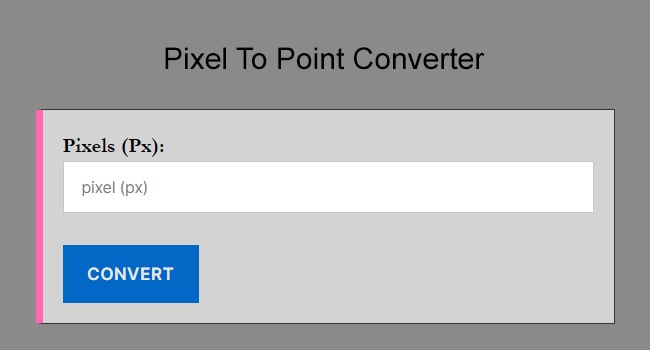
Simply enter your pixel value above to get the precise point equivalent instantly.
How to Convert Pixels to Points
If you need to calculate this manually or use it in a script, the math is straightforward.
The standard conversion assumes a screen resolution of 96 DPI (Dots Per Inch). Under these conditions:
-
1 Pixel (px) = 0.75 Points (pt)
-
1 Point (pt) = 1.333 Pixels (px)
The PX to PT Formula
To convert pixels to points, multiply the pixel value by 0.75.
Points = Pixels * 0.75
Example: If you have a font size of 16px (the standard web default) and want to know the print size:
16px × 0.75 = 12pt
Need to do the reverse calculation? If you have a print value and need to know its screen equivalent, you can easily convert Points to Pixels (pt to px) using our reverse calculator. This is helpful if you are taking a design from a PDF or Photoshop print file and coding it for the web.
What is the difference between PX and PT?
Understanding the difference between these two units is critical for responsive design and print stylesheets.
Pixels (px)
Pixels are the standard unit of measurement for digital screens. They are “absolute” units in CSS but vary visually depending on the screen’s density (DPI). Web designers use pixels for layout width, image sizing, and screen-based font sizing.
Points (pt)
Points are a physical unit of measurement primarily used in print media (newspapers, magazines, and documents). One point is equal to 1/72 of an inch.
When should you use PT?
You should generally avoid using pt for standard website styling because it does not scale well on mobile devices. However, pt is the correct unit to use for:
-
Print Stylesheets: When writing CSS for how a page should look when printed on paper (
@media print). -
PDF Generation: When formatting HTML to be exported as a PDF.
-
Cross-Media Branding: When matching a physical brochure’s typography to a digital asset.
Common Web Font Sizes (PX to PT Chart)
Below is a conversion table for the most common font sizes used in web design (Bootstrap, Tailwind, and Foundation defaults).
| Pixel | Point |
|---|---|
| 1 px | 0.75 pt |
| 2 px | 1.5 pt |
| 3 px | 2.25 pt |
| 4 px | 3 pt |
| 5 px | 3.75 pt |
| 6 px | 4.5 pt |
| 7 px | 5.25 pt |
| 8 px | 6 pt |
| 9 px | 6.75 pt |
| 10 px | 7.5 pt |
| 11 px | 8.25 pt |
| 12 px | 9 pt |
| 13 px | 9.75 pt |
| 14 px | 10.5 pt |
| 15 px | 11.25 pt |
| 16 px | 12 pt |
| 17 px | 12.75 pt |
| 18 px | 13.5 pt |
| 19 px | 14.25 pt |
| 20 px | 15 pt |
| 21 px | 15.75 pt |
| 22 px | 16.5 pt |
| 23 px | 17.25 pt |
| 24 px | 18 pt |
| 25 px | 18.75 pt |
| 32 px | 24 pt |
| 48 px | 36 pt |
| 64 px | 48 pt |
| 96 px | 72 pt |
Frequently Asked Questions
How many points (pt) are in 1 pixel (px)?
Based on the standard 96 DPI (Dots Per Inch) screen resolution, 1 pixel equals 0.75 points. Conversely, 1 point equals 1.333 pixels. This ratio is critical for maintaining design consistency between web and print environments.
What is the formula to convert PX to PT?
The standard conversion formula is: Points=Pixels * (72 / DPI). On most modern screens (96 DPI), this simplifies to: Points=Pixels * 0.75. For example, a 16px font converts to exactly 12pt.
Is PT or PX better for 2026 web design?
For modern web development, Pixels (PX) are the standard for digital displays because they represent the smallest unit on a screen. Points (PT) are an absolute unit traditionally used in print media (where 1pt=1/72 inch). In 2026, it is best practice to use relative units like rem or em for accessibility, using PX as your base measurement.
How do I convert pixels to points for PDF export?
When exporting to PDF, many tools like Figma and Photoshop shift from pixels to points to ensure print quality. To maintain the same visual size, multiply your pixel value by 0.75. For high-resolution printing (300 DPI), the formula changes to px * (72 / 300), making a 16px element approximately 3.84pt.
What is 16px to pt in standard typography?
In standard typography settings, 16px is equal to 12pt. This is a common conversion used by developers and designers when moving assets from web-based CSS (16px default root) to print-ready documents or email signatures.
Why does my conversion look different on high-res screens?
This is due to Device Pixel Ratio (DPR). Modern “Retina” or 4K displays often have a DPR of 2 or 3, meaning they use multiple physical pixels to represent one logical pixel. While the mathematical formula (0.75) remains the same for layout, the physical sharpness will differ across devices.