
Pixel to Inch Converter: Free Tool with Custom PPI/DPI
How to Convert Pixels to Inches
Converting pixels to inches isn’t just about size—it’s about resolution. To find the physical size of an image, you need to know the DPI (Dots Per Inch) or PPI (Pixels Per Inch).
-
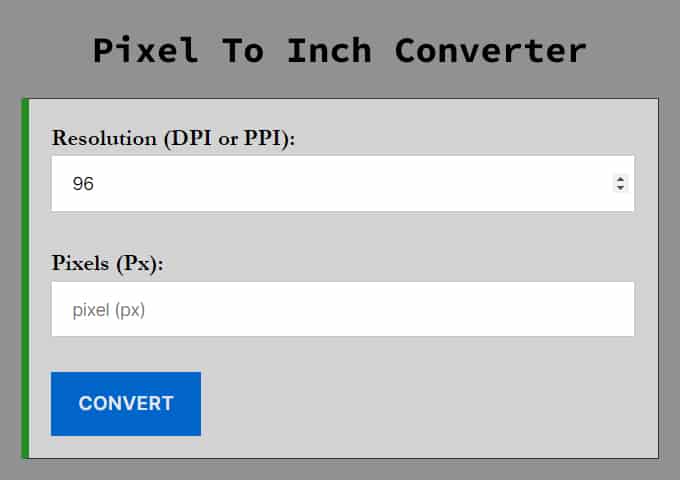
Enter your Pixel value: Input the width or height of your image in pixels.
-
Choose your Resolution (DPI):
-
96 DPI: Standard for Windows screens and general web use.
-
72 DPI: Standard for older Mac screens.
-
300 DPI: The standard for high-quality printing.
-
-
Get the result: The calculator divides your pixels by the DPI to give you the exact length in inches.
Note: If you already have the physical measurements and need to know the digital size, switch to our [Inch to Pixel Converter].
Pixel to Inch Formula
If you want to do the math manually, the formula is simple. You just need to divide the number of pixels by the resolution (PPI/DPI).
Formula:
Inches = Pixels/DPI
Example: If you have an image that is 1920 pixels wide and you are viewing it on a standard 96 DPI monitor:
1920/96 = 20 Inches
If you wanted to print that same 1920 pixel image at high quality (300 DPI):
1920/300 = 6.4 Inches
What is the Difference Between DPI and PPI?
While often used interchangeably, they mean slightly different things:
-
PPI (Pixels Per Inch): Refers to the density of pixels on a digital screen. Higher PPI means a sharper image.
-
DPI (Dots Per Inch): Refers to the density of ink dots on a printed piece of paper.
-
For this converter: We treat them as the same value. If you are designing for the web, stick to 72 or 96. If you are designing for print, set the value to 300.
Common Conversion Charts
Below are quick reference tables for the most common resolutions.
| Pixel | Inch |
|---|---|
| 1 px | 0.010416666666667 inch |
| 2 px | 0.020833333333333 inch |
| 3 px | 0.03125 inch |
| 4 px | 0.041666666666667 inch |
| 5 px | 0.052083333333333 inch |
| 6 px | 0.0625 inch |
| 7 px | 0.072916666666667 inch |
| 8 px | 0.083333333333333 inch |
| 9 px | 0.09375 inch |
| 10 px | 0.10416666666667 inch |
| 11 px | 0.11458333333333 inch |
| 12 px | 0.125 inch |
| 13 px | 0.13541666666667 inch |
| 14 px | 0.14583333333333 inch |
| 15 px | 0.15625 inch |
| 16 px | 0.16666666666667 inch |
| 17 px | 0.17708333333333 inch |
| 18 px | 0.1875 inch |
| 19 px | 0.19791666666667 inch |
| 20 px | 0.20833333333333 inch |
| 21 px | 0.21875 inch |
| 22 px | 0.22916666666667 inch |
| 23 px | 0.23958333333333 inch |
| 24 px | 0.25 inch |
| 25 px | 0.26041666666667 inch |
| 120 px | 1.25 inch |
| 350 px | 3.6458333333333 inch |
| 400 px | 4.1666666666667 inch |
| 467 px | 4.8645833333333 inch |
| 480 px | 5 inch |
| 514 px | 5.3541666666667 inch |
| 600 px | 6.25 inch |
| 640 px | 6.6666666666667 inch |
| 720 px | 7.5 inch |
| 768 px | 8 inch |
| 800 px | 8.3333333333333 inch |
| 900 px | 9.375 inch |
| 1024 px | 10.666666666667 inch |
| 1080 px | 11.25 inch |
| 1200 px | 12.5 inch |
| 1366 px | 14.229166666667 inch |
| 1440 px | 15 inch |
| 1600 px | 16.666666666667 inch |
| 1920 px | 20 inch |
| 2000 px | 20.833333333333 inch |
| 2160 px | 22.5 inch |
| 2560 px | 26.666666666667 inch |
| 3000 px | 31.25 inch |
| 3840 px | 40 inch |
| 2592 px | 27 inch |
| 9600 px | 100 inch |
| 144 px | 1.5 inch |
| 624 px | 6.5 inch |
| 1046.4 px | 10.9 inch |
| 1238.4 px | 12.9 inch |
| 1497.6 px | 15.6 inch |
Frequently Asked Questions (FAQ)
How many pixels are in 1 inch?
In the standard 2026 web environment, 1 inch is equal to 96 pixels. This standard (96 DPI/PPI) is used by modern browsers to ensure consistent layout sizes across different screens. However, for high-quality printing, 1 inch is typically calculated as 300 pixels.
What is the formula to convert inches to pixels?
The universal formula is: Pixels = Inches * DPI. For web-based projects, use 96 as your DPI (Pixels = Inches * 96). For professional print designs, use 300 as your DPI (Pixels = Inches * 300) to ensure high resolution.
How many pixels is 8.5 x 11 inches for printing?
For a standard letter-sized page at a high-resolution print quality of 300 DPI, 8.5 x 11 inches is 2550 x 3300 pixels. If you are designing for web or a lower-resolution preview (96 DPI), the same dimensions would be 816 x 1056 pixels.
What is the difference between PPI and DPI?
While often used interchangeably, PPI (Pixels Per Inch) refers to digital displays and how many pixels are packed into a screen. DPI (Dots Per Inch) refers to physical printing and the number of ink dots a printer places on paper. For most digital conversion tools, the math remains the same: Value * Resolution.
Why does 1 inch look different on a phone vs a monitor?
This is due to Pixel Density. Modern smartphones have much higher PPI (often 300-500+) compared to desktop monitors. To maintain readability, devices use "logical pixels" or scaling. A "CSS inch" will always be 96 pixels in code, but the hardware will use more physical pixels to make the image appear sharp.
Is 72 DPI or 96 DPI the standard for web design?
While 72 DPI was the historical standard (largely due to early Apple Macintosh displays), 96 DPI is the current global standard for web browsers and Windows-based systems. All CSS-based conversions use the 96px per inch ratio for layout consistency.
How big is a 1920x1080 image in inches?
At a standard 96 DPI, a 1920x1080 image is 20 inches wide by 11.25 inches tall. At 300 DPI (print quality), it is only 6.4 inches wide by 3.6 inches tall.