
Inch to Pixel Converter (Fast & Accurate Conversion)
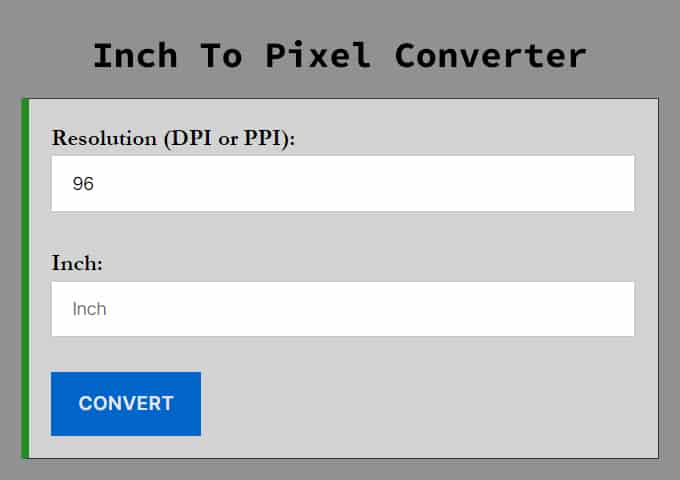
Need to convert physical dimensions into digital resolution? This Inch to Pixel Converter is a free, precise tool designed for graphic designers, web developers, and digital artists. Simply enter your length in inches and your target resolution (DPI or PPI) to get the exact pixel count instantly.
Whether you are preparing a file for print at 300 DPI or resizing an image for the web at 72 or 96 DPI, this tool handles the math for you.
How to Convert Inches to Pixels
Converting inches to pixels isn’t a fixed calculation—it depends entirely on the resolution, also known as pixel density. The formula is simple:
Pixels = Inches × DPI
-
Inches: The physical length you want to convert.
-
DPI (Dots Per Inch) / PPI (Pixels Per Inch): The number of pixels contained within one inch of the image.
Example Calculation: If you want to print a 4×6 inch photo at high quality (300 DPI), the math looks like this:
-
Width: 4 inches × 300 = 1200 px
-
Height: 6 inches × 300 = 1800 px
If you were displaying that same image on a standard screen (96 DPI), it would only be 384 x 576 px.
Need to calculate the other way around? Use our Pixel to Inch Converter to find physical dimensions from image resolution.
Understanding DPI vs. PPI
When using this converter, you will see a field for “Resolution.” This is the most critical part of the conversion.
-
DPI (Dots Per Inch): Strictly refers to printer dots, but often used interchangeably with PPI.
-
PPI (Pixels Per Inch): Refers to the density of pixels on a digital screen.
Which Resolution Should You Use?
-
72 DPI: The old standard for screen resolution.
-
96 DPI: The modern standard for Windows monitors and most web images.
-
150 DPI: Good for drafts and low-quality prints (like newspapers).
-
300 DPI: The industry standard for high-quality printing (brochures, business cards, photos).
Common Inch to Pixel Conversions (at 96 DPI)
Below is a quick reference table for converting inches to pixels using the standard web resolution of 96 PPI.
| Inch | Pixel |
|---|---|
| 1 inch | 96 px |
| 1.5 inch | 144 px |
| 2 inch | 192 px |
| 2.5 inch | 240 px |
| 3 inch | 288 px |
| 3.5 inch | 336 px |
| 4 inch | 384 px |
| 4.5 inch | 432 px |
| 5 inch | 480 px |
| 5.5 inch | 528 px |
| 6 inch | 576 px |
| 6.5 inch | 624 px |
| 7 inch | 672 px |
| 7.5 inch | 720 px |
| 8 inch | 768 px |
| 8.5 inch | 816 px |
| 9 inch | 864 px |
| 9.5 inch | 912 px |
| 10 inch | 960 px |
| 10.5 inch | 1008 px |
| 11 inch | 1056 px |
| 11.5 inch | 1104 px |
| 12 inch | 1152 px |
| 12.5 inch | 1200 px |
| 15 inch | 1440 px |
| 17 inch | 1632 px |
| 13 inch | 1248 px |
| 19 inch | 1824 px |
| 27 inch | 2592 px |
| 100 inch | 9600 px |
| 10.9 inch | 1046.4 px |
| 12.9 inch | 1238.4 px |
| 15.6 inch | 1497.6 px |
Frequently Asked Questions (FAQ)
How many pixels are in 1 inch?
The global standard for web displays is 96 pixels per inch (PPI). Therefore, 1 inch equals 96 pixels. If you are preparing files for high-resolution printing, the industry standard is 300 pixels per inch.
How many pixels is 8.5 x 11 inches at 300 DPI?
For a standard US Letter size at high-resolution print quality (300 DPI), the dimensions are 2550 x 3300 pixels. For digital use at 96 DPI, the same 8.5 x 11-inch document is 816 x 1056 pixels.
What is the formula to convert inches to pixels?
The calculation depends on the resolution (DPI/PPI). Use the formula: Pixels = Inches × DPI. For example, to convert 5 inches to pixels at 96 DPI: 5 × 96 = 480 pixels.
How many pixels is 4x6 inches for photo printing?
To get a crisp 4x6 inch photo print at 300 DPI, your image should be 1200 x 1800 pixels. For social media or web viewing (96 DPI), 4x6 inches translates to 384 x 576 pixels.
Is 72 DPI or 96 DPI better for the web?
While 72 DPI was the legacy standard, 96 DPI is now the universal standard for modern browsers and CSS layouts. Most high-density "Retina" screens actually render at higher multiples, but 96 remains the base unit for conversion math.
How do I convert pixels back to inches?
To convert pixels to inches, use the formula: Inches = Pixels ÷ DPI. If you have a 1920-pixel wide image at 96 DPI, the width in inches is 1920 ÷ 96 = 20 inches.
Is 300 DPI better than 72 DPI?
"Better" depends on the purpose. 300 DPI is standard for printing because it looks sharp on paper. 72 or 96 DPI is standard for screens because it loads faster and matches monitor density. Using 300 DPI for a website usually just slows down the page load time without improving visible quality.